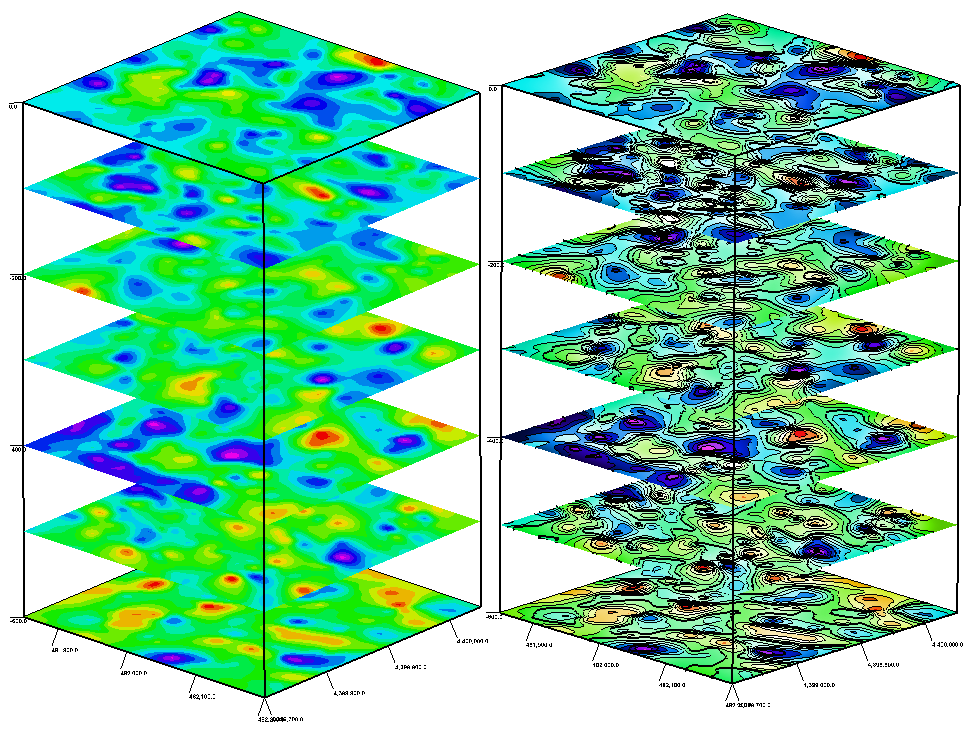
Contour lines may now be included within the surfaces generated by the ModOps | Grid | Grids -> 3D Stack Diagram program.
The GeoTIFF import is really designed to import DEMs saved as GeoTIFFs, and not images.
If you want to display the image in RockPlot2D, you can import it through the File | Import | Raster Image menu. You can use the world file to georeference the image, as long as the coordinate system is the same (the program does not read the PRJ file).
If you want to drape the image over the RwGrd file, the Image | Drape program allows you to select the image and world file, along with the RwGrd file.

Borehole Manager | Edit | Update Symbols – You can choose to update both Raster and Vector symbols, or only one symbol type at a time.
Several new options have been added to the Multivariate Lithology Map menu. Read the full write up from the RockWare Knowledge Base by clicking HERE.

This program is accessed via the Borehole Operations / Lithology pull-down menu.
Options for Multivariate maps have been added to the ModOps menu for Grid data and a NEW program for Solids.
The Grids -> Multivariate Map program provides a variety of options for simultaneously displaying all of these variables in plan view. ModOps | Grid | Multivariate
The Solids -> Multivariate Map program provides a variety of options for simultaneously displaying all of these variables in plan view. ModOps | Solid | Multivariate
© Copyright RockWare, Inc.