New Software
pLog Tablet
Field Data Collection Software with LogPlot Integration
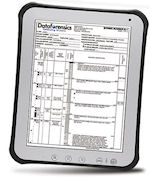 pLog is the industry leader in geotechnical and geo-environmental data collection technology. It is the most advanced application for collecting site investigation and environmental sampling data in the field. pLog is the industry leader in geotechnical and geo-environmental data collection technology. It is the most advanced application for collecting site investigation and environmental sampling data in the field.
pLog Tablet offers users a new range of Android- based hardware options for field collection. pLog Tablet features include:
+ Highly customizable user interface - Customize which data collection parameters are shown in each module.
+ Graphical Log Preview - View the log graphically on the tablet so you can better visualize the investigation as it is happening.
+ Real-time data sharing - Send the data and/or the standardized log report electronically directly from the field.
+ Connect to LogPlot - The new pLogIC (pLog Integration Component) integrates pLog Tablet data with the LogPlot .DAT format.
+ Streamlined navigation - No more tapping between screens to input a specific type of data – all data can be accessed for a particular module from one screen.
Read more
pLog Tablet pricing
New Version
MapInfo Pro 12.5.1
New 64-bit version of this powerful GIS software
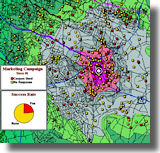 MapInfo Pro is a powerful mapping and geographic analysis program designed to help you visualize the relationships between data and geography. MapInfo Pro is a powerful mapping and geographic analysis program designed to help you visualize the relationships between data and geography.
Overview of new features in MapInfo Pro 12.5.1/64:
+ New and enhanced Ribbon User Interface
+ Customizable ribbon with tabs and groups of the commands you use the most
+ Customize the Quick Access Toolbar to suit your needs
+ Improved Layout Designer with Live Link to your map for editing
+ Floating Mini Toolbar
+ New Tool Manager
+ MapCAD updated
+ Docking, floating, tabbed, and hidden window modes
+ All new Workspace Explorer displays all open maps, tables, tools, and connections
Install both the 32-bit and 64-bit versions in different folders on the same computer for compatibility with Encom Discover and other add-on applications.
Read more
Get a quote
Download demo
Free Software
RockWorks 16 EarthApps
This feature level of RockWorks 16 is FREE!
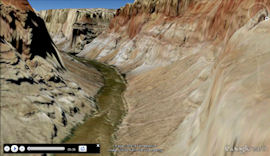
The EarthApps is a free collection of programs inside RockWorks 16 for entry of spatial data to be displayed in Google Earth -> points, lines, polygons, images, flyovers, survey maps, extraction tools, and more.
If you are not already a RockWorks user, download the demo (link below); once the trial period expires for the higher levels of the program, the Level 1 EarthApps will remain functional. Impress your friends, clients, and (most importantly) your boss with maps and images in Google Earth.
(Google Earth is downloadable separately via Google.)
And check out the Google Earth Pro Geology with RockWare video which features RockWare's founder, Jim Reed!
Read more
Download the EarthApps
Web Resources
Blog, Articles, Websites
RockWare Blog
Fixing Unreadable RockWorks Menus
RockWorks Blog
New Block Model Control Point Declustering - Coming Soon to Rockworks16
Kilauea Eruption Video
(USGS)
Hawaiian Volcano Observatory - Photo and Video Chronology
(USGS)
Access to Clean Water
(US Senate Maps, via GeoCommunity)
Cities of the World - Treasure Hunt
(ESRI Story Maps, via GeoCommunity)
Physicists create new kind of pasta to explain mysterious, ring-shaped polymers
(IOP, via ScienceDaily)
Geoengineering our climate is not a quick fix
(University of Leeds, via ScienceDaily)
Brain Inspired Data Engineering
(IMDEA Networks Institute, via ScienceDaily)
Tips
Copying Data between Projects in RockWorks16
There a several tools you can use to copy data between project databases in RockWorks 16:
1) When creating the new project: One of the options when creating a new project folder (database) in RockWorks is to Create New Project with Data or Settings from Existing Project. This allows you to choose some/all tables for some/all boreholes to bring into the new database.
2) Export some/all data for some/all holes in the source database to Excel (File | Export | Multiple Tables | Excel). Then import those data into the new project (File | Import | Excel | Multiple Tables).
3) The Project Folder | Move Project program copies the entirety of an existing project folder (all files, settings, database) to a new folder, with the option of removing the original folder or not.
Read more about RockWorks 16
RockWorks pricing
Download demo
|


