New Versions
RockWare GIS Link 16
New version of this RockWorks Toolbar for ArcGIS
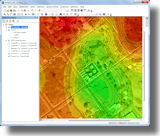 The RockWare GIS Link 16 is now available! Install this toolbar into ArcMap and use its tools to: The RockWare GIS Link 16 is now available! Install this toolbar into ArcMap and use its tools to:
+ Import your RockWorks borehole locations into ArcGIS
+ Pick striplog/cross section/profile/fence diagram locations in ArcMap for diagram display in RockWorks
+ Create structural or isopach contours for display in ArcMap
The RockWare GIS Link 16 requires RockWorks 16 Level 3 (with limited functionality), Level 4, or Level 5. It also requires ArcGIS Desktop 10+.
RockWare GIS Link 16 is free with RockWorks 16 Level 5 licenses: If you already have RockWorks 16 Level 5 installed and running, just download and install the GIS Link demo, add the toolbar to ArcMap, and no further licensing is required. (For lower levels of RockWorks, the GIS Link licenses are purchased separately.)
Read more
RockWare GIS Link 16 pricing
Download demo
RockWorks 16 Update
New build of RockWorks 16 with added features
RockWorks 16 Professional (Level 5)
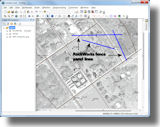 + More robust handling of international number formats in RCL batch/script files + More robust handling of international number formats in RCL batch/script files
+ RockWare GIS Link 16 is now available - it licenses automatically with RockWorks Level 5
RockWorks Borehole Modeling (Level 4) and higher
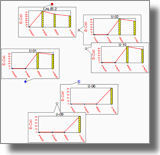 + The Network License Manager now offers "borrowing" of licenses for use in the field + The Network License Manager now offers "borrowing" of licenses for use in the field
+ T-Data Time-Graphs and Time-Graph Maps now offer logarithmic scaling
+ T-Data Time-Graphs and Time-Graph Maps now allow the user to manually specify the min and max values, for scaling consistency on maps
RockWorks Logs and Sections (Level 3) and higher
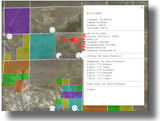 + New features added to the Borehole Location Map -> Google Earth program: images and additional linked data + New features added to the Borehole Location Map -> Google Earth program: images and additional linked data
+ Streamlined KGS, IHS, WCS, and GDS imports: problem records in the imported file will just be skipped
+ Improvements to database queries - turn off the reference map for huge datasets
RockWorks Utilities (Level 2) and higher
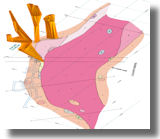 + New program for connecting polygons in 3D (Utilities | Grafix | 3D Utilities) + New program for connecting polygons in 3D (Utilities | Grafix | 3D Utilities)
+ New tool for importing LAS files into Utilities datasheet
+ Enable/disable text anti-aliasing in RockPlot2D graphics for more flexibility in exports
RockWorks EarthApps (Level 1) and higher
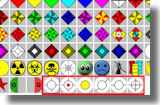 + New symbols were added to the raster symbol library + New symbols were added to the raster symbol library
+ RockPlot3D files save and load the current vertical exaggeration
+ ReportWorks can now plot very high resolution pages with full color output
Revision list
Read more about RockWorks 16
RockWorks16 feature levels
RockWorks 16 pricing
Download demo
RockWare License Manager
New Version - Check-out of Network Seats
This new version of the RockWare License Manager, used by RockWorks 16 and the RockWare GIS Link 16, now offers license borrowing - handy for use in the field when you're not connected to the network.
RockWare License Manager new features:
+ A network administrator can use the RockWare License Administrator to specify whether license check-out will be allowed and, if so, the maximum duration for the loans.
+ Users simply click a "borrow" button and select the return date. They can then disconnect from the network and RockWorks (and optionally the GIS Link) remain functional.
+ The borrowed seats are reported in the License Administrator on the server
+ Easy check-in of the borrowed licenses
Contact RockWare support for details.
ARES Commander Edition 2014
New Version of this popular CAD program
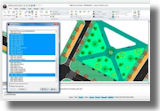 ARES Commander Edition 2014 is powerful, DWG-compatible CAD software with 3D modeling ARES Commander Edition 2014 is powerful, DWG-compatible CAD software with 3D modeling
and a comprehensive programming environment - suitable for day-to-day work as well as complex projects. Leverage the productive tools and intelligent features for drafting and design that you've come to expect from top CAD products, at a significant cost savings.
ARES 2014 new features:
+ Use the new ribbon interface, or switch back to the traditional interface
+The new Design Resources Palette enhances productivity by allowing you to share content between files
+ Quick grouping offers an easy way to combine drawing entities without creating a block
+ Layer transparency, preview, grouping and filtering
+ New and improved import/export file formats
+ 32- and 64-bit, unicode support, template library
+ Many more
Read more
ARES 2014 pricing
Download demo
IgPet 2013
New build of this igneous petrology software
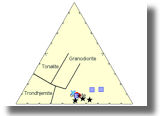 Igpet
provides tools for teaching and research in Igneous Petrology, allowing users to develop their own data files and to use graphics routines to discover and interpret patterns of geochemical variation. Igpet
provides tools for teaching and research in Igneous Petrology, allowing users to develop their own data files and to use graphics routines to discover and interpret patterns of geochemical variation.
A new build is available. Contact RockWare if you are a licensed user and wish to receive the most recent build.
Read more
Igpet pricing
Web Resources
Videos
Field Methods: Past, Present & Future (A Personal Odyssey)
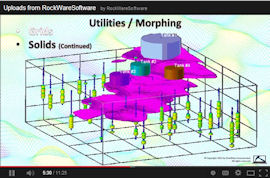
Creating Animations with RockWorks16
(webinar recording)
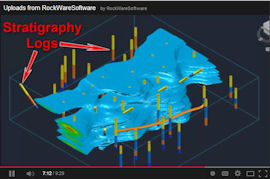
LogPlot / RockWorks / Civil3D Workflow
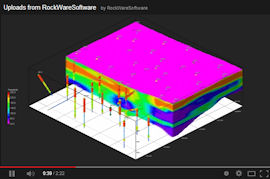
Eye Candy
Check out the index to all of our videos.
Articles, Videos, Websites
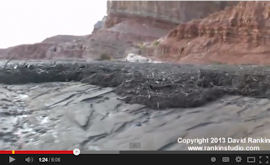
Flash Flood / Debris Flow in Southern Utah
((c) David Rankin)
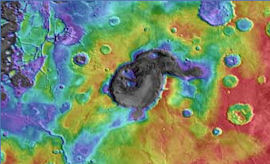
Supervolcanoes on Mars
(Sky & Telescope, Selby Cull)
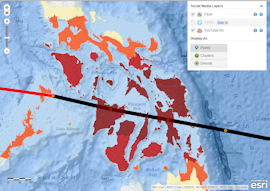
Interactive Esri Map Tracks Super-Typhoon Haiyan
(esri.com)
Tips
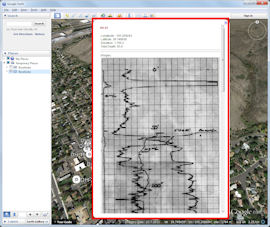
Enhanced RockWorks 16 Borehole Maps in Google Earth ™
Use the updated Map | Borehole Locations -> Google Earth (Advanced) program to create detailed maps in Google Earth.
The linked descriptions can include the optional Location table fields, as well as comments, and lithology, stratigraphy, water level data for each borehole.
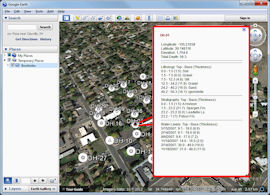
If there are images listed in the Bitmaps table, these can be included as well, for quick reference in Google Earth.
Read more about RockWorks 16
RockWorks 16 pricing
Download demo
|



